Home/All features/Plan
Plan
One screen per order, from confirmation to shipped
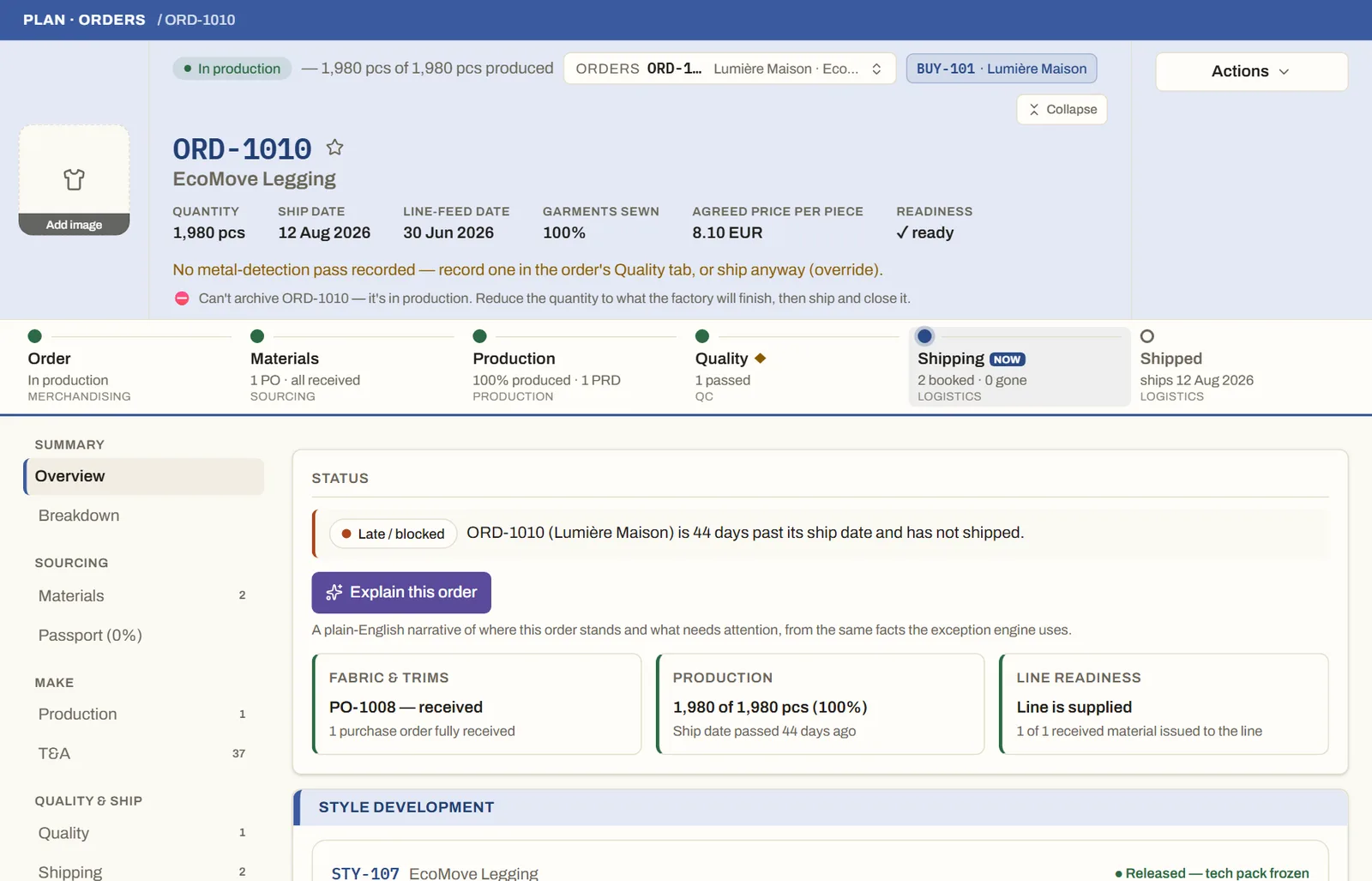
Each order shows its journey — materials, production, quality, shipping — with the quantities, dates and price agreed, and says plainly what is blocking it.
What you can do
- A journey bar from order to shipped, showing the stage it is in now.
- Blockers are named and linked — a missing inspection, an unconfirmed quantity, a late purchase order.
- Size-by-colour breakdown, deliveries and the time-and-action plan, each on its own tab.
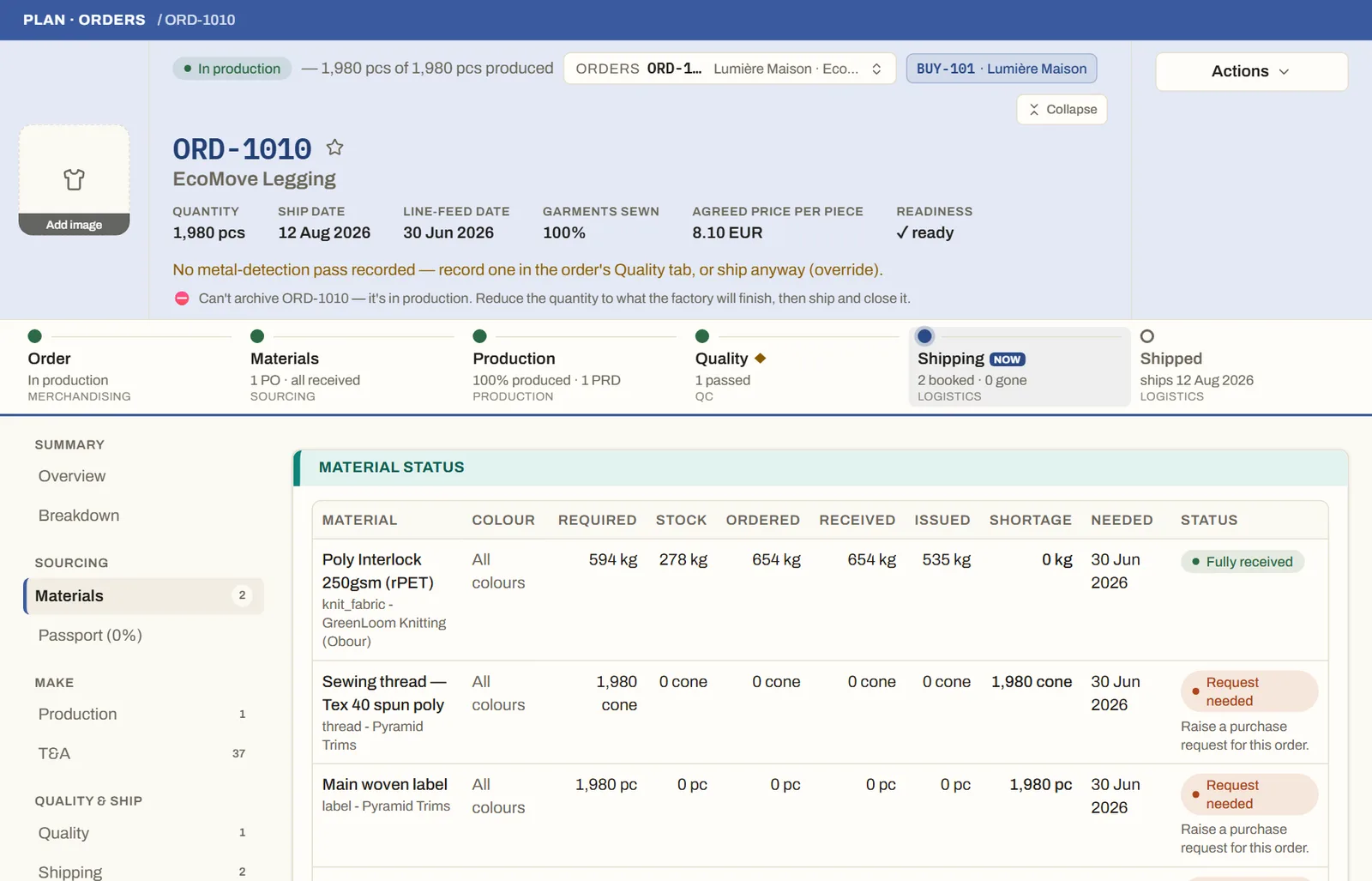
- Material status for every line: required, in stock, ordered, received and issued.
- ✦ "Explain this order" gives a plain-language summary of where it stands.
Who uses it
FactoriesBrandsBuying agentsRetailers
Everyone who needs to know where an order really stands.
Good to knowAn order only shows green with proof: materials ordered, quantity confirmed, production recorded.
See it on your own orders
Book a demo and we'll walk you through MerchandiserOS with your own styles and orders.