Home/All features/Plan
Plan
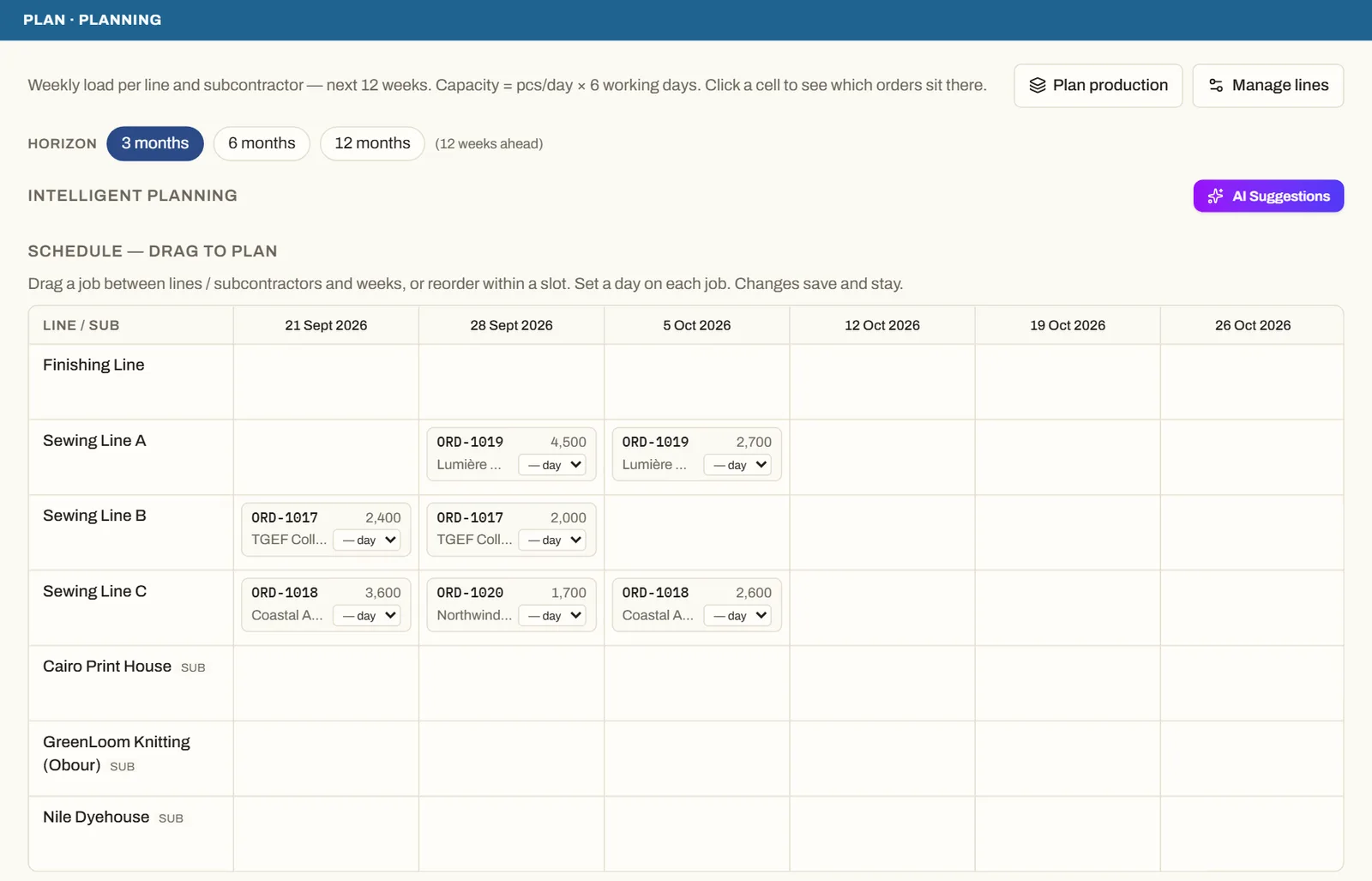
Plan lines and subcontractors week by week
See every line's and subcontractor's load for the weeks ahead, drag orders into place, and check that materials arrive before the line needs them.
What you can do
- A weekly schedule for your own lines and your subcontractors.
- Drag an order to another line or week — changes save as you go.
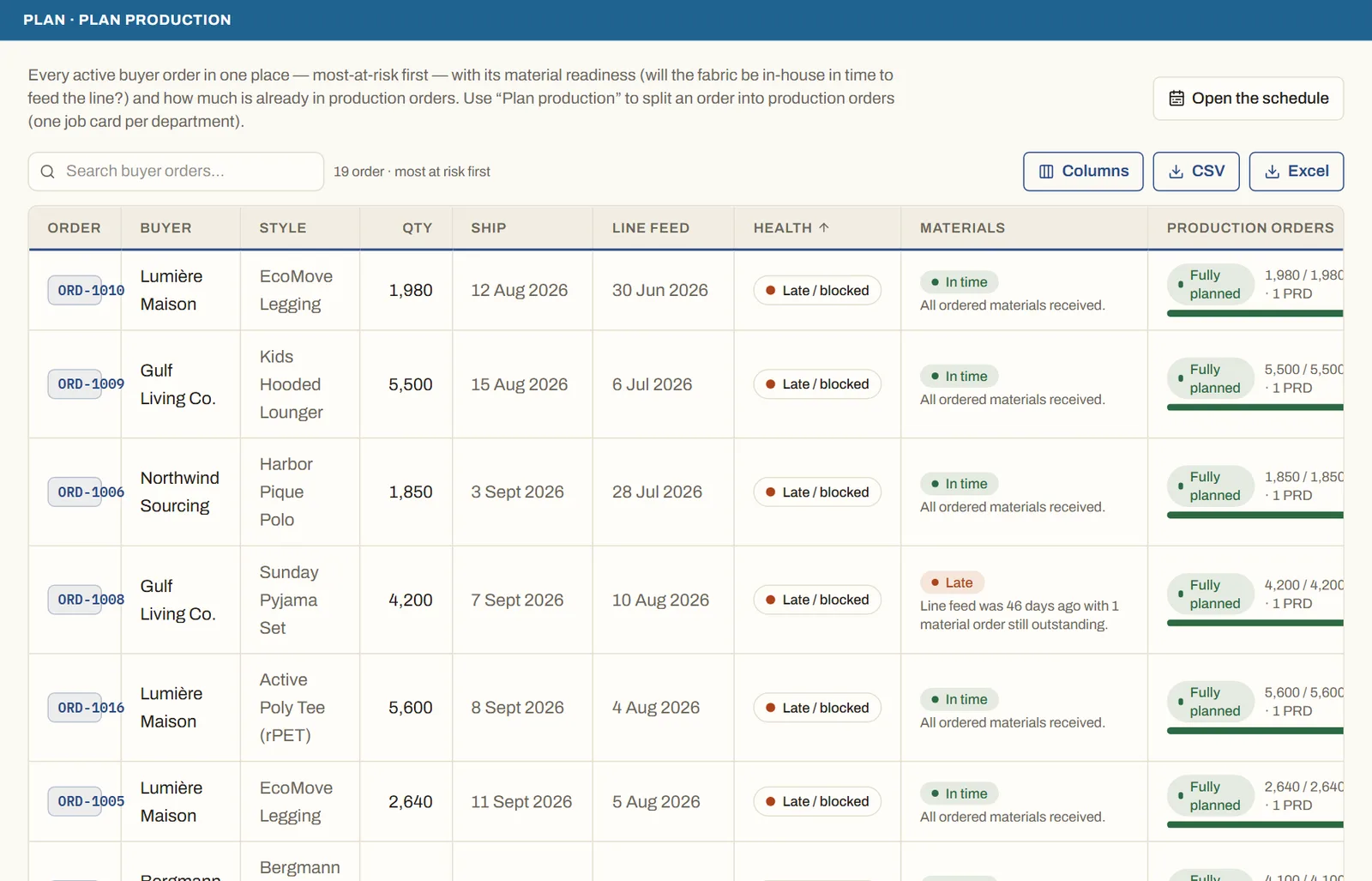
- Every buyer order listed most-at-risk first, with whether its materials will be in on time.
- Split an order into production orders from the same screen.
- ✦ AI suggestions for where to place the work.
Who uses it
Factories
Factory planners and production managers.
Good to knowCapacity comes from your own figures — pieces per day and working days — never from a guess.
See it on your own orders
Book a demo and we'll walk you through MerchandiserOS with your own styles and orders.