What it is
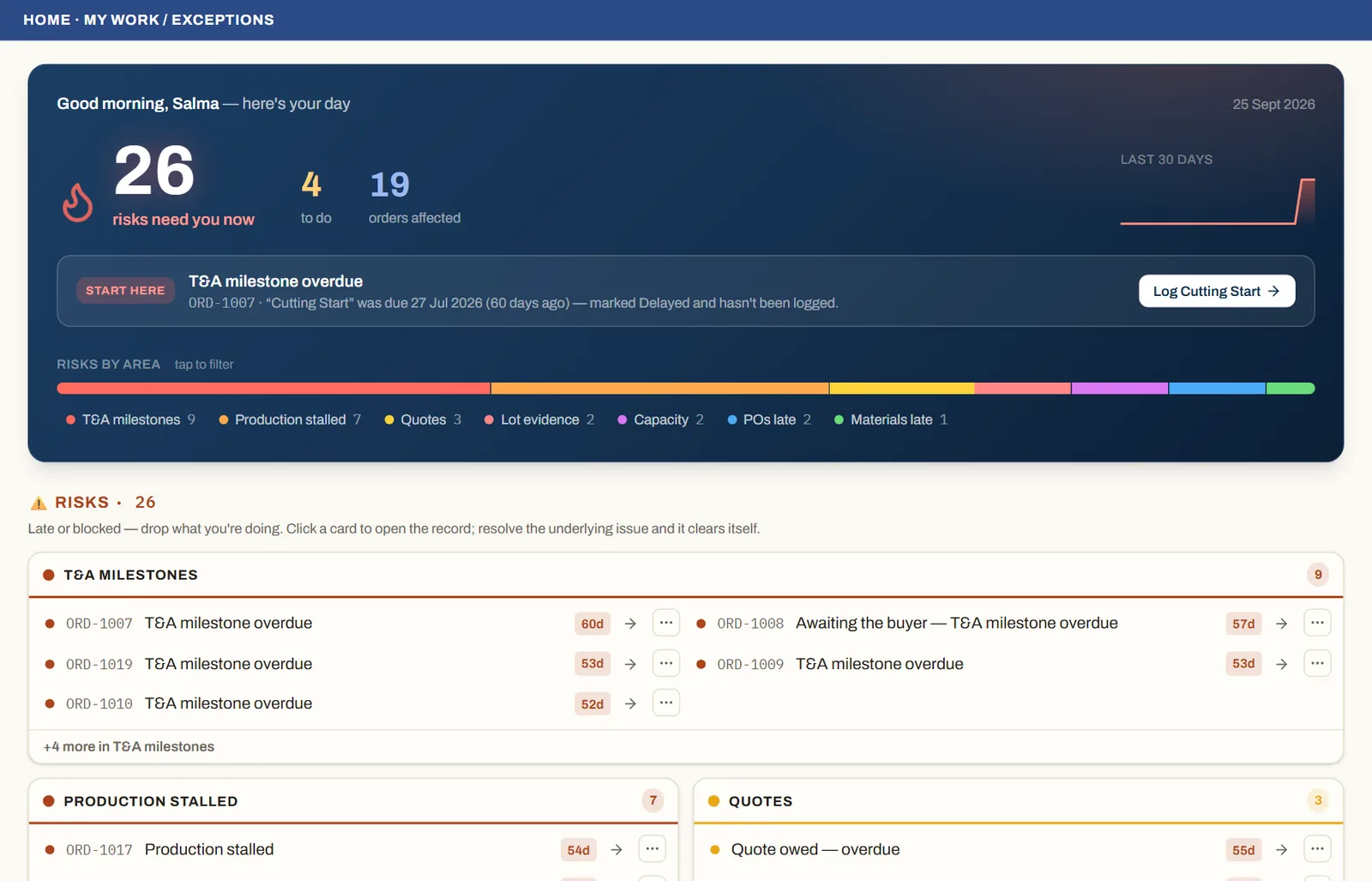
My Work is the home screen. It is a computed worklist, not a static dashboard — it splits into Risks (red: late or blocked, drop what you are doing) and a To do list (your required checks plus amber at-risk items), grouped so one order's many issues collapse into one card.
How to use it
Each morning, open My Work. The 'Start here' callout names the single most urgent fire and links straight to the control that fixes it. Work down the fires first, then the to-do list. You clear an item by fixing the underlying record — receiving the late PO, confirming the quantity, recording the missing pass.
Good to knowMy Work is role-scoped. You only see the exceptions and tasks that belong to your function; the Owner sees everything.
See it on real screensYour day starts with what's lateOpen the feature page →